Stop Deleting: U.S. Founders & Legal Teams on a Litigation Hold Notice
A litigation hold notice is a written instruction to preserve specific documents and electronic data because litigation has happened or is reasonably expected. If you receive one, stop deleting anything relevant immediately and read it carefully. If you’re the one sending it, put it in writing, loop in IT the same day, and get acknowledgments from everyone on the list.
TL;DR:
A litigation hold must be triggered by credible threats such as complaints, subpoenas, or regulatory inquiries, not only formal lawsuits.
Immediate actions should include stopping all deletion activities and preserving all relevant data, including personal devices and cloud accounts.
A clear, detailed hold notice should specify the scope, responsible systems, contacts, acknowledgment deadlines, and instructions not to create internal discussions about the case.
IT’s role is critical and involves suspending auto-delete functions, pausing backups, and logging preservation actions with confirmation from legal collaborators.
Documenting every step, acknowledgment, and decision creates a defense-ready paper trail that courts reward in cases of disputes over spoliation.
Table of Contents
What a litigation hold actually is, and why courts care so much about it
When does the duty to preserve actually kick in?
You received a litigation hold notice. Here’s what to do right now.
You’re issuing a litigation hold: here’s the checklist that holds up in court
What IT needs to do the day a hold goes into effect
How to prove you actually did this right
When does a litigation hold end?
The mistakes that turn a lawsuit into a sanctions fight
How Chief Legal Office actually runs a litigation hold
A straight answer from someone who’s seen this go wrong
Managing a litigation hold without losing a week of productivity
Where to go for the primary rules and practice guidance
Sources
What a litigation hold actually is, and why courts care so much about it
Once a company reasonably anticipates a lawsuit, it has a legal duty to preserve evidence that might matter. That duty doesn’t wait for a summons to show up. Courts have made clear that a “credible threat” of litigation is enough to start the clock, and the standard is objective. It doesn’t matter what you subjectively believed. It matters what a reasonable business in your position would have known.
This is where Federal Rule of Civil Procedure 37 enters the picture. Rule 37(e) tells judges how to handle situations where electronically stored information (ESI) that should have been preserved gets lost anyway. Courts look at whether the loss happened because reasonable steps weren’t taken, and whether it can be fixed through additional discovery. If not, sanctions become possible.
What courts are really evaluating boils down to a few things:
Whether a reasonable litigation hold went out and when
Whether IT actually suspended auto-delete functions and backup rotations
Whether the company can document what it preserved and why
Whether the scope was proportionate to what the case actually needed
Documentation is the thing that separates “we made a good-faith mistake” from “we should have known better.” Judges reward paper trails, not good intentions.
When does the duty to preserve actually kick in?
This is the question that trips up more founders than any other part of litigation hold practice. You don’t need a filed lawsuit to trigger your preservation duty. You need a reasonable basis to expect one, which is a lower bar than most people assume.
Common triggers include:
A complaint gets served on you. This one’s obvious, but the duty often started well before service, sometimes months earlier.
A credible threat arrives. A demand letter, an angry email from a departing employee’s lawyer, or a customer threatening to “see you in court” can all start the clock.
A regulator opens an inquiry. An SEC letter or an EEOC charge counts, even before any lawsuit follows.
You retain outside counsel for a specific dispute. That’s usually a strong signal litigation is reasonably anticipated.
You receive a third-party subpoena. Here the analysis shifts. Nonparties typically face a narrower preservation duty limited to what’s responsive to the subpoena, unless facts suggest you might become a party yourself.
Once triggered, scope the hold to what’s proportionate. Preserving every email ever sent by every employee is expensive and, per Sedona Conference guidance on proportionality, often unnecessary.
You received a litigation hold notice. Here’s what to do right now.
First, breathe. A litigation hold notice isn’t an accusation. It’s an instruction. Second, stop deleting anything that could remotely relate to the matter described. That includes the folder you were about to clean out last weekend.
Here’s your immediate checklist:
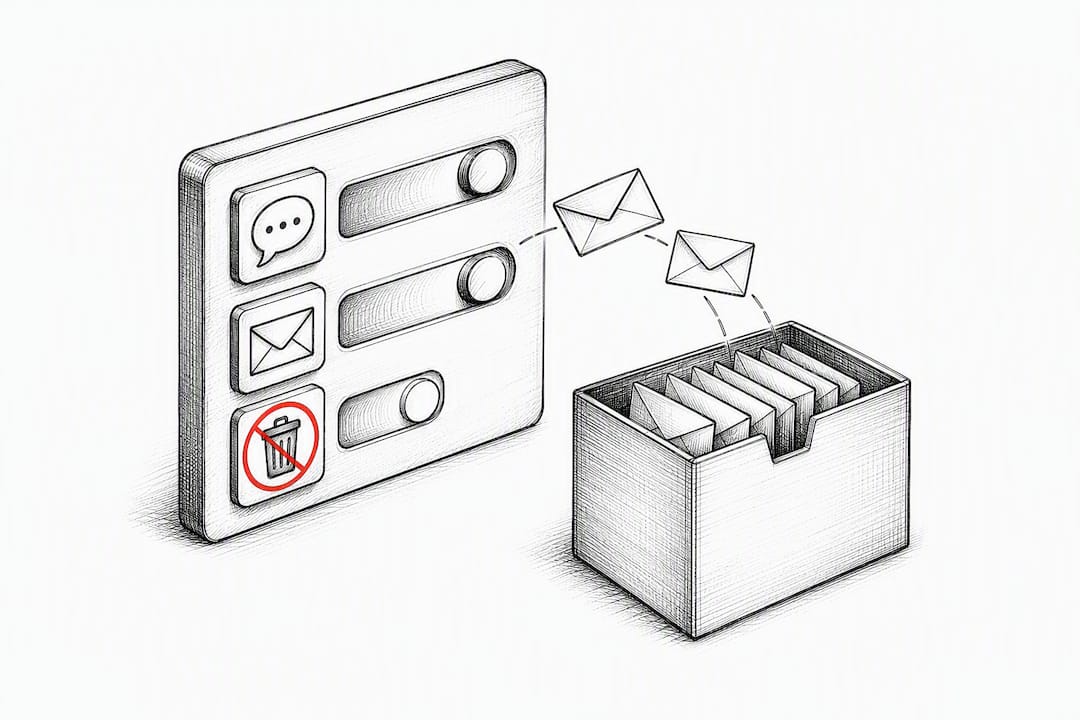
Stop all deletion activity. Pause automatic email cleanup rules, don’t empty your trash folder, and don’t “tidy up” old files.
Preserve everything that touches the matter. Emails, chat threads, shared drive files, calendar entries, even handwritten notes if they’re relevant.
Include personal devices used for work. If you text a colleague from your personal phone about a work issue, that text is potentially discoverable. Same with Slack DMs and any BYOD device that touches company data.
Acknowledge receipt in writing. Reply to confirm you got the notice and understand it. Keep a copy for yourself.
Ask questions if anything is unclear. The notice should list a contact, usually legal or IT. Use them. Guessing wrong is worse than asking.
Remote workers deserve special attention here. If your team works from home offices, coffee shops, or shared coworking spaces, relevant data might live on personal laptops, personal cloud accounts, or a spouse’s old tablet that somehow became the family’s shared Slack device. None of that is exempt.
Pro Tip: Take a screenshot of your Slack or Teams settings the day you receive a hold notice. If auto-delete or message retention limits are turned on, you’ll want proof of when you disabled them, not just that you eventually did.
You’re issuing a litigation hold: here’s the checklist that holds up in court
Drafting an effective legal hold notice isn’t about legal flourish. It’s about clarity and completeness. A well-built hold memo, structured the way practical litigation-hold templates recommend, does a few things well.
Your notice needs:
A plain-English summary of the matter. What happened, who’s involved, why preservation matters now.
A clear scope. What categories of documents and data need preserving, with concrete examples, not vague language like “anything relevant.”
IT-specific instructions. Which systems, accounts, and backup schedules need to pause, and who at IT is responsible for confirming it happened.
A named contact for questions. Someone recipients can actually reach, not a generic legal inbox that takes three weeks to answer.
An acknowledgment deadline. Give people a real date to confirm receipt, typically within a few business days.
An explicit instruction not to create new documents discussing the hold itself. This sounds counterintuitive, but internal chatter speculating about the lawsuit can itself become discoverable.
Before you send anything, identify your custodians and data sources. Who actually touched this matter? Where does their data live? A sales dispute might only implicate three people and a CRM. A product liability claim might touch engineering, QA, customer support, and six different cloud tools.
Set a calendar reminder to re-issue the hold periodically, especially if the case drags on or new custodians join the relevant team. And write down your proportionality decisions. If you decided not to preserve a low-value data source because the cost outweighed the benefit, Sedona Conference commentary supports that reasoning, but only if you documented it at the time, not after a judge asks why.
What IT needs to do the day a hold goes into effect
Legal can write the perfect notice, but if IT doesn’t act on it within hours, the hold is just a nice PDF. The technical side of preservation is where cases actually get won or lost.
IT’s job includes:
Suspending automatic deletion rules on affected email accounts and shared drives
Pausing backup rotation schedules so old snapshots aren’t overwritten
Preserving relevant cloud storage, including SaaS platforms your legal team might not think of by default
Logging every action taken, with timestamps, so there’s a record proving the steps actually happened
Rule 37(e) has an exception for information lost through the “routine operation” of a system, but that exception has limits. If you knew preservation was required and didn’t intervene to stop an auto-delete function, routine operation won’t save you. Good faith requires actually doing something, not just letting the system run and hoping.
For larger or more technical matters, this is where forensic imaging or an e-discovery vendor earns its cost. Coordinating legal and IT closely on scope keeps preservation efforts proportionate instead of ballooning into a preserve-everything panic that burns budget without adding value.
Pro Tip: Ask IT for a written confirmation email each time a suspension or snapshot preservation step is completed. That single habit creates the paper trail that separates a defensible hold from a wing-and-a-prayer one.
How to prove you actually did this right
A hold notice that nobody tracked is barely better than no hold at all. If a dispute over spoliation ever comes up, the company that wins is almost always the one with a paper trail, not the one with the cleanest intentions.
Keep a preservation log that records:
Who received the notice and when
What IT actions were taken, with dates
Acknowledgments received, and follow-ups sent to anyone who didn’t respond
Notes from custodial interviews about where relevant data lives
Review the hold periodically. If new facts emerge, more custodians get added, or the case narrows, write down why the scope changed. Courts consistently reward documented reasonableness over after-the-fact explanations that sound suspiciously convenient.
When does a litigation hold end?
A hold stays in place until you get formal written release, or the matter fully resolves, whichever comes first. Don’t guess. Don’t assume it’s over because nobody’s mentioned the lawsuit in six months.
Build in review checkpoints, maybe quarterly for longer matters, to reassess whether the scope still makes sense. When it’s time to release the hold, document it in writing and confirm before anyone re-enables normal retention schedules or deletion policies.
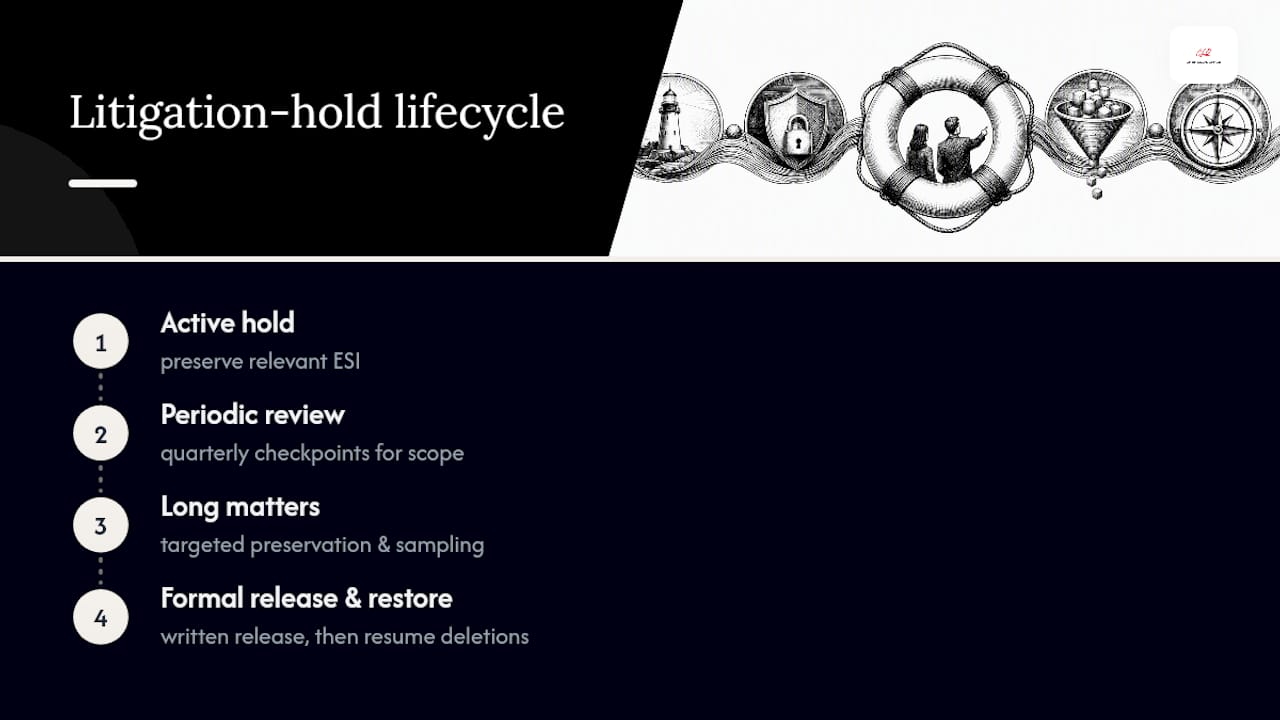
For matters that drag on for years, consider targeted preservation and sampling rather than a blanket freeze on everything. Long holds get expensive fast, and cost control matters as much here as anywhere else in the business.
The mistakes that turn a lawsuit into a sanctions fight
Most spoliation problems trace back to a small handful of avoidable errors. Failing to suspend automatic deletion is the most common one. A close second is scoping the custodian list too narrowly, missing the sales rep who handled the account or the contractor who had system access.
Poor documentation causes the third major category of trouble. Even a well-run hold looks negligent on paper if nobody wrote anything down.
Under Rule 37(e), remedies range from relatively mild (an order to redo preservation efforts) to severe (adverse jury instructions or case-ending sanctions) depending on intent and prejudice to the other side. If you’re accused of spoliation, the response is the same every time: preserve whatever remains immediately, document what happened and why, and get counsel involved before you say anything else to anyone.
How Chief Legal Office actually runs a litigation hold
A litigation hold shouldn’t rest on one overworked person’s memory. At Chief Legal Office, a senior in-house lawyer owns the process, backed by a team that handles the operational lift so nothing falls through the cracks.
The playbook looks like this:
Assess the trigger and document why the duty attached, and when
Build the custodian list based on who actually touched the matter
Issue a clear written notice with acknowledgment tracking
Coordinate directly with IT on suspensions, snapshots, and system-level preservation
Track everything in a preservation log that holds up if a judge ever asks to see it
For growing tech companies, the hard part is usually balance. You need real preservation without freezing the entire business in place. That’s operational judgment, not just legal knowledge, and it’s exactly the gap a fractional in-house team is built to close.
A straight answer from someone who’s seen this go wrong
Most companies don’t get in trouble for a bad legal hold notice. They get in trouble for a good one that nobody actually followed. The document itself is rarely the problem. The follow-through is.
If you’re a founder reading this because someone just handed you a hold notice, or because you’re about to send one, my honest advice is this: don’t overthink the wording, and don’t underthink the operations. Get the notice out fast, keep it proportionate, and track acknowledgments like your case depends on it, because it might.
Escalate to outside counsel when the matter involves complex forensic collection or a genuinely adversarial opposing party. Escalate to a fractional in-house team when you need someone who lives inside your business to run this process end to end, week after week, without treating it as a one-off fire drill.
— Amy Natasha Osteen
Managing a litigation hold without losing a week of productivity
Running a litigation hold well takes more than good intentions. It takes someone who owns the process, tracks every acknowledgment, and knows exactly which systems IT needs to touch before lunch. That’s the gap Chief Legal Office closes for growing companies that don’t have a General Counsel on staff yet but can’t afford to guess their way through preservation obligations.
As a fractional in-house legal department, Chief Legal Office runs the entire hold process: assessing the trigger, drafting the notice, coordinating with IT, tracking acknowledgments, and keeping the documentation a court would actually want to see. That’s the difference between hoping your preservation efforts hold up and knowing they will, because someone senior was responsible for them from day one.
If your company is facing a dispute, a regulator inquiry, or just wants a defensible process in place before you need one, talk to our fractional General Counsel team about what ongoing litigation-hold support looks like for a business your size.
Where to go for the primary rules and practice guidance
The rules and standards behind this article come from a small set of sources worth bookmarking if litigation is any part of your near-term future.
The Sedona Conference Commentary on Legal Holds covers triggers, scope, and release in far more depth than any blog post can.
Federal Rules of Civil Procedure, Rule 37 sets the actual legal standard for sanctions and reasonableness.
LexisNexis’s litigation hold memorandum template gives a workable structure for drafting your own notice.
The U.S. Courts rules and procedure hub keeps the current federal rules text in one place.
This article is general information, not a substitute for advice from a qualified lawyer. Consult a qualified legal professional about your own circumstances before acting on anything here.
Sources
The Sedona Conference — Commentary on Legal Holds (Second Edition)
Litigation Hold Memorandum (Federal) — LexisNexis Practical Guidance
Recommended
The lawyerly fine print: This article is for general information, not legal advice…